 ColorHead
Color negative inversion tool that follows darkroom printing instincts
Natural, accurate colors, the grading logic of a darkroom enlarger, analog paper response
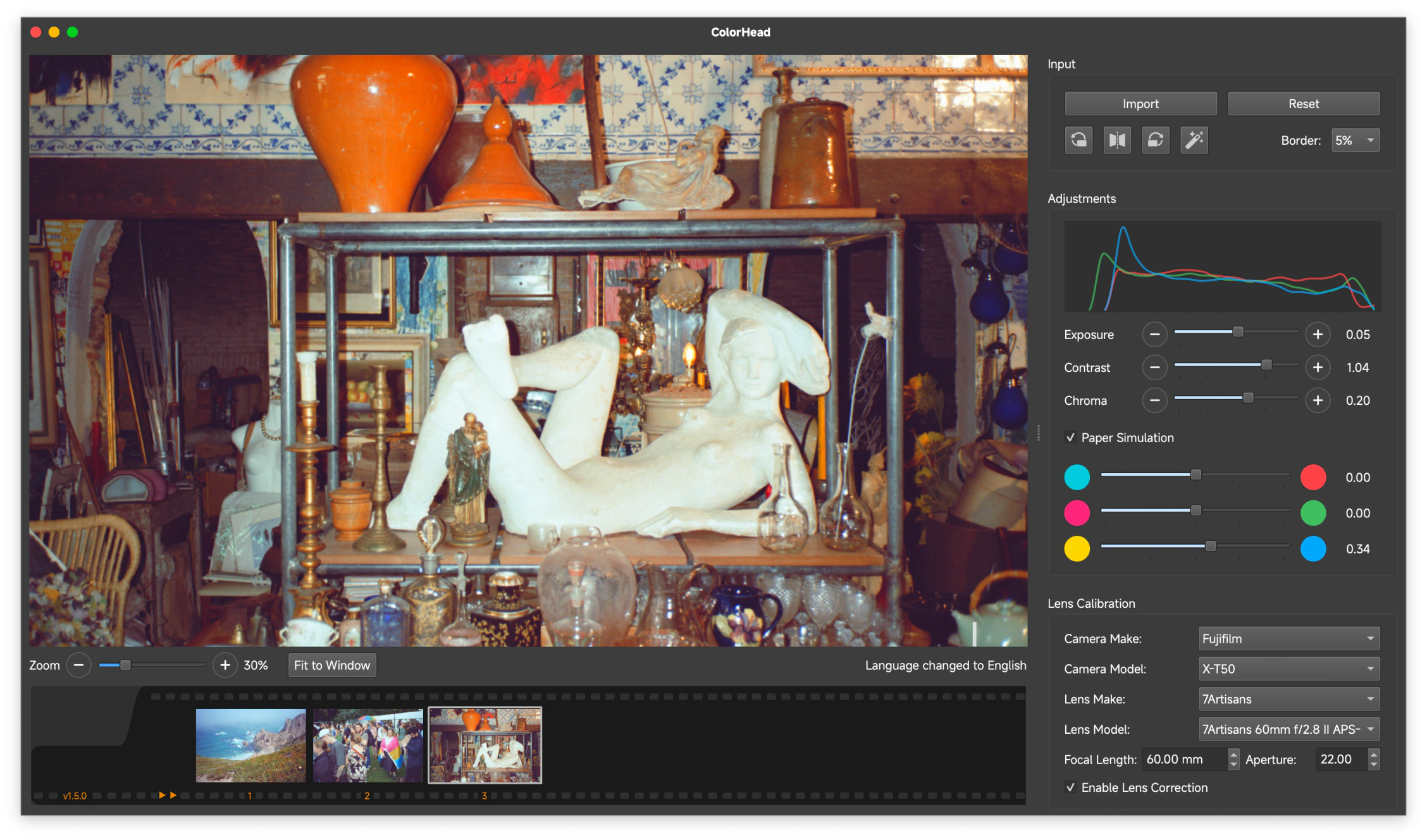
Inspired by darkroom enlargement
Natural accurate colors
Our algorithm estimates conversion parameters directly from each negative or an entire roll.
Enlarger-style grading
Adjustments follow the logic of an enlarger's CMY colorhead. The algorithm physically simulates Cyan, Magenta and Yellow lights passing through the film stock.
Paper simulation
Tones at both ends of the scale are gently compressed and held, the way an analog print keeps detail in the brightest and darkest areas.
All ColorHead features are free for non-commercial use.
ColorHead is built by researchers who love film
FAQ
What is ColorHead?
ColorHead is a free desktop app for macOS and Windows that inverts and grades your own scanned color negatives, turning them into positive images with accurate, natural color.
Is ColorHead free?
Yes. All features are free for personal, non-commercial use.
Which platforms does it support?
macOS 15 or later on Apple silicon, and Windows 10 and 11 on x86_64.
How is it different from a normal photo editor?
It borrows the logic of a darkroom enlarger. Its CMY grading and paper simulation run in density space, so adjustments behave like analog printing rather than typical RGB editing. It does one thing, the inversion, and stays focused on that.
Does it work with camera scans and dedicated scanners?
Yes. It works whether you scan with a digital camera or a dedicated film scanner. Version 1.7 also reads .fff files from the Hasselblad X5.
Which input file formats does ColorHead support?
ColorHead accepts TIFF (.tif, .tiff), JPEG (.jpg, .jpeg), and these camera RAW formats: 3FR, ARW, BAY, CAP, CR2, CR3, CRW, CS1, DC2, DCR, DCS, DNG, EIP, ERF, FFF, IIQ, K25, KC2, KDC, MDC, MEF, MOS, MRW, NEF, NRW, ORF, ORI, PEF, PTX, PXN, QTK, RAF, RAW, RDC, RW2, RWL, RWZ, SR2, SRF, SRW, STI, and X3F.
Who makes ColorHead?
It is built by inrainbws and kayamerel, researchers at EPFL's Image and Visual Representation Lab (IVRL).